 DL Technologies
Deleting your data at a glance
This page explains how to permanently delete your ProFile account and all of the data associated with it, what gets removed, and what (if anything) is kept afterward. ProFile is developed by DL Technologies (package name mz.co.dlg.profile).
#How to delete your account
You can delete your account and all your data in two ways.
Option 1: Directly in the app (recommended)
- Open ProFile on your device.
- Go to Settings.
- Scroll to the Account section.
- Tap Delete Account.
- Confirm the deletion when prompted.
Your account and everything stored with it are then permanently removed. This action is immediate and cannot be undone.
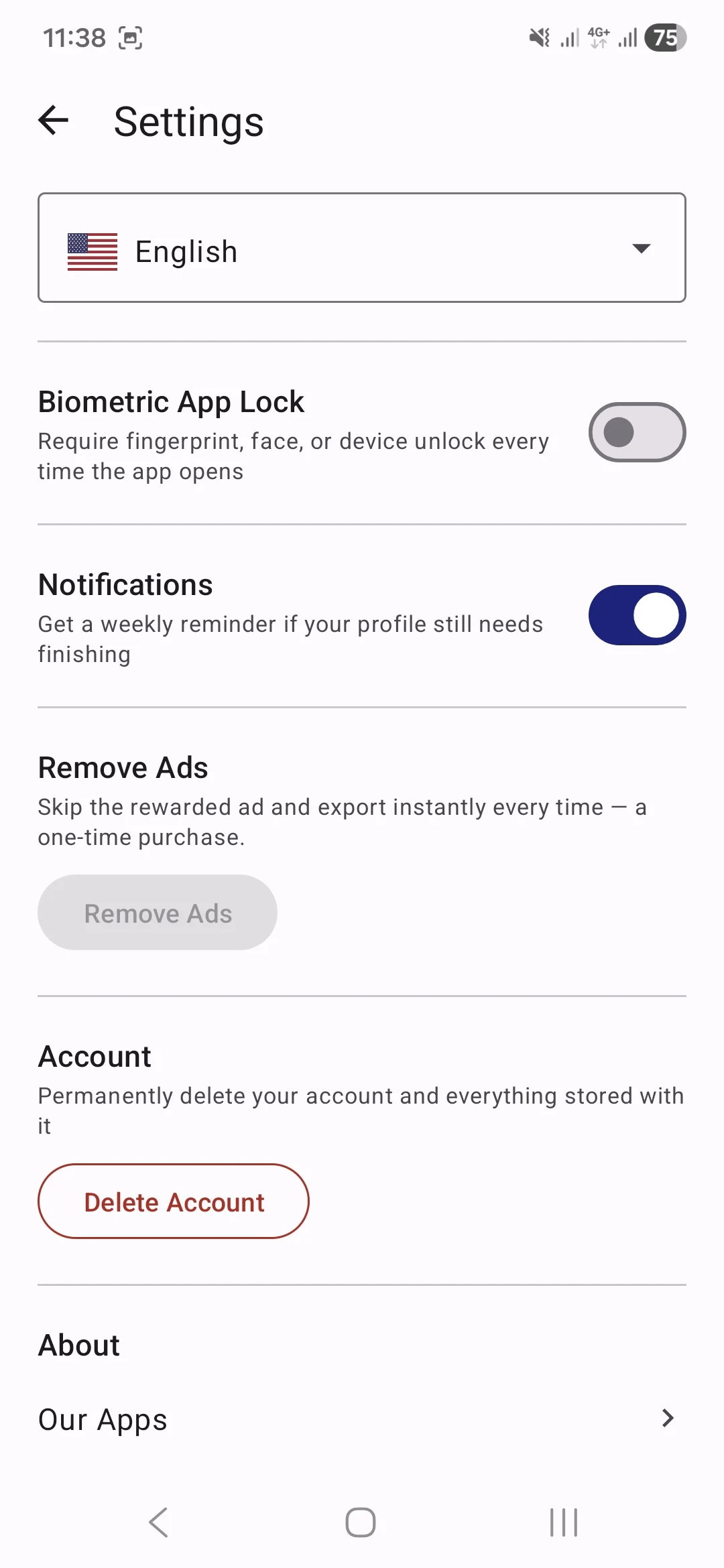
Option 2: By email
If you can no longer access the app, email us from the address associated with your account and we will delete it for you:
📧 Email: support@dltechapps.com
Please use the subject line "Delete my ProFile account". We process these requests within 7 days.
#What data is deleted
When you delete your account, all of the following is permanently erased from our servers (Google Firebase / Firestore):
- Your account and sign-in record (Google or email/password authentication)
- Your profile: name, job title, contact details and links (LinkedIn, portfolio, etc.)
- Your career content: professional summary, work experience, education, skills, certifications, awards and references
- Your profile photo
- Your generated documents: CVs / resumes, cover letters, business cards, email signatures and digital signatures
- Your short bio and any other generated content
- Any uploaded documents and files
- Your app settings, preferences and purchase records
#What data is retained
Nothing is retained. Once your account is deleted, all associated data is permanently and irreversibly removed. We do not keep copies or backups for legal, fraud-prevention, analytics or any other purpose, and the deleted data cannot be recovered.
Before you delete: deletion is permanent. If you want to keep your documents, export or save them from the app first; they cannot be restored afterward.